









DingCaster Live Streaming Software for Windows
- Trial version
- 51
- V8.1.1
Download for Windows
View an ad to download for free

- DingVideo
Professional live streaming, powerful features, and user-friendly
DingCaster: Live‑Production Software Merging vMix‑Style Workflow with OBS‑Style Extensibility
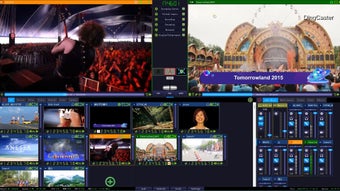
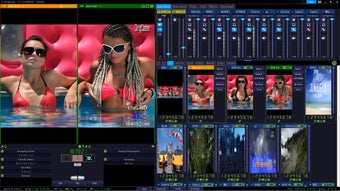
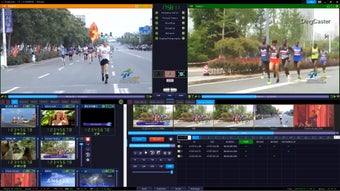
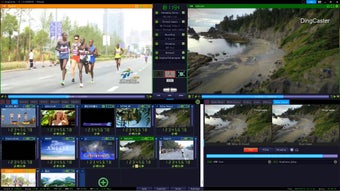
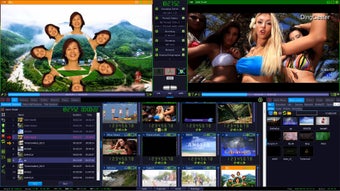
DingCaster is an all‑in‑one live production and streaming solution. It brings together vMix‑grade titling, virtual sets, and hardware switcher‑keyboard controls alongside OBS‑compatible plugins and visual effects, catering to professional live broadcast workflows.
Key Features
vMix + OBS Combined Workflow
Supports vMix titles, virtual sets and switcher keyboard templates, which can be imported directly for use, while supporting OBS plugins and built‑in visual effects.
Single‑Camera Virtual Multi‑Angle Production
Generate multiple virtual camera perspectives from one physical camera feed. Each virtual angle supports pan, tilt, zoom and simulated camera movements — no extra physical camera hardware required.
Embedded Streaming Server
The built‑in streaming server supports push‑and‑pull streaming over RTMP, SRT, WebRTC and MoQ protocols. It supports standalone private deployment, with configurable capacity for 100 up to 10,000 concurrent viewers, removing reliance on third‑party streaming platforms.
Playlist‑Driven Automatic Source Switching
Auto‑switch video sources via playlists, ideal for studio operations, campus TV and slow‑broadcast scenarios. Supports timed, sequential and manual switching modes. Playlists can loop continuously for unattended automatic playback, with automatic skip‑over upon source failure.
Clap‑Triggered Cue Titling
Supports clap‑triggered title playback, specially optimized for Chinese opera live streaming productions.
Integrated Teleprompter
Built‑in professional teleprompter for on‑air script prompting during live shows.
Multi‑Camera Slow‑Motion Instant Replay
Enables slow‑motion replay across multiple camera feeds, compatible with NETWORK, SDI, HDMI and NDI camera inputs.
Delayed Broadcast Output
Offers delayed output with three‑window preview. Operators can replace buffered delayed content on‑the‑fly. Delay data resides in system memory; a 16‑GB RAM system can comfortably sustain 2‑3 minutes of broadcast delay.
Built‑in Speech‑to‑Text & Text‑to‑Speech
On‑board speech recognition converts microphone or embedded video audio to real‑time live subtitles. Text‑to‑speech generates synthetic voice‑over audio from written text. No third‑party ASR service is needed.
Multi‑Platform Simultaneous Streaming
Connect to multiple live streams simultaneously via virtual camera, stream to platforms including TikTok, YouTube, Twitch, and also support local area network broadcasting. Support rtmp,srt,webrtc ,moq and so on protocols.
Screen Annotation
Supports direct annotation on the video feed using a mouse or stylus, with adjustable parameters such as color and line width. Annotations can be undone or cleared.
Video Call
Supports multi-channel remote video access via P2P, with split-screen display. Supports mobile and PC access, with latency as low as 300ms.
Mobile Device Control
Via WIFI, you can use mobile phone or tablet browser to control common operations such as preview, switching, recording, streaming.
Loading…
App specs
Developer
- DingVideo
License
Trial version
Version
8.1.1
Latest update
Platform
Windows
OS
Windows 10
Language
English
Available languages
- Spanish
- English
- French
- German
- Italian
- Portuguese
- Russian
- Chinese
- Turkish
- Arabic
- Korean
- Japanese
Size
286.57 MB
Program available in other languages
- تنزيل DingCaster Live Streaming Software
- DingCaster Live Streaming Software herunterladen
- Télécharger DingCaster Live Streaming Software
- Pobierz DingCaster Live Streaming Software
- Unduh DingCaster Live Streaming Software
- Ladda ner DingCaster Live Streaming Software
- DingCaster Live Streaming Software indir
- Download DingCaster Live Streaming Software
- DingCaster Live Streaming Software 다운로드
- Scarica DingCaster Live Streaming Software
- Descargar DingCaster Live Streaming Software
- Скачать DingCaster Live Streaming Software
- Baixada do DingCaster Live Streaming Software
- ダウンロード DingCaster Live Streaming Software
- ดาวน์โหลด DingCaster Live Streaming Software
- Tải xuống DingCaster Live Streaming Software
DingCaster Live Streaming Software for PC
- Trial version
- 51
- V8.1.1
Download for PC
View an ad to download for free
User reviews about DingCaster Live Streaming Software
Have you tried DingCaster Live Streaming Software? Be the first to leave your opinion!
Add reviewTop downloads Streaming videos for Windows
Top downloads Streaming videos for Windows
Top downloads Streaming videos for Windows
Related topics about DingCaster Live Streaming Software
Latest articles
Vin Diesel sparks backlash over George Lucas ‘mythology’ post

The Wheel of Time board game is official: War of the Dragon arrives in 2027

Dragon Quest celebrates its 40th anniversary surpassing 100 million games sold

Hirokazu Kore-eda is given a 12-minute ovation in Venice for his adaptation of an emotional manga
iPhone 18 Pro looks set for 60W charging: faster fills, cooler temps
Laws concerning the use of this software vary from country to country. We do not encourage or condone the use of this program if it is in violation of these laws. Softonic does not encourage or condone the illegal streaming, duplication or distribution of copyrighted content. You are solely responsible for any use of the service. Softonic may receive a referral fee if you click or buy any of the products featured here.